Ridiculously Fast On-Device Transcription: Reviewing Parakeet CTC 1.1B with Cactus
By Satyajit Kumar and Henry Ndubuaku
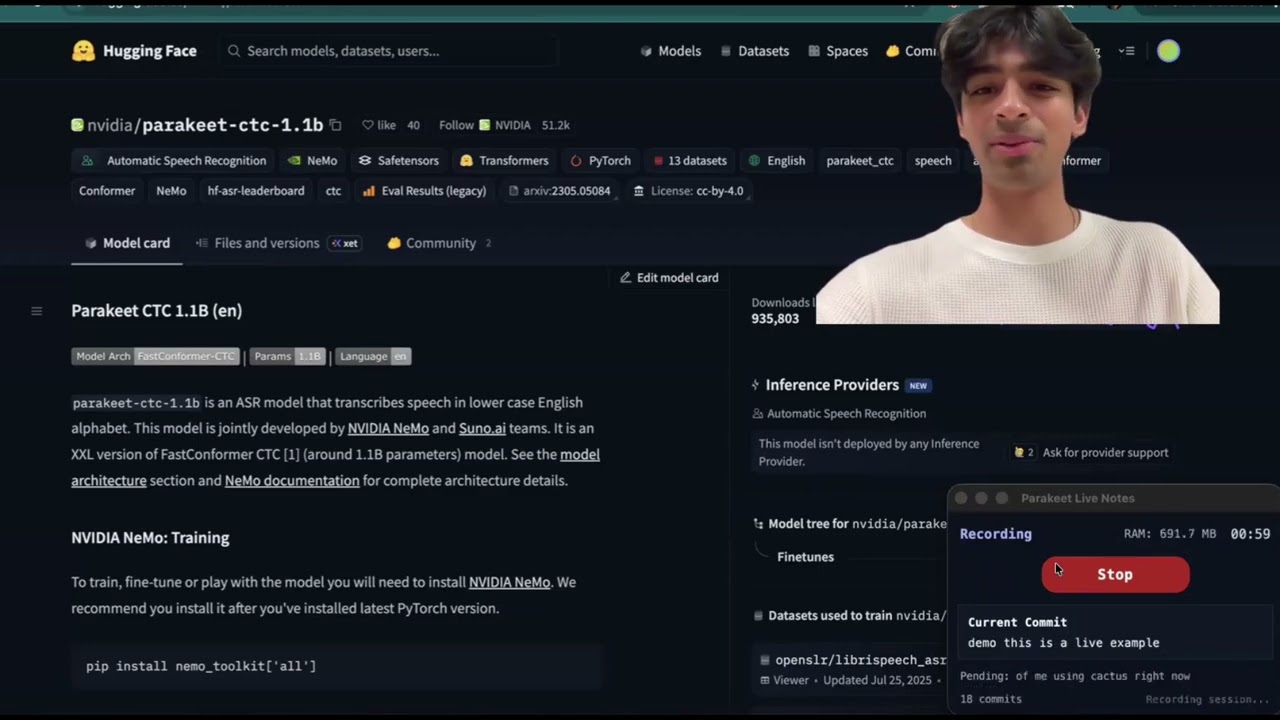
Parakeet CTC 1.1B is NVIDIA’s non-autoregressive English speech-to-text model built on FastConformer. At only 1.1 billion parameters, it is small enough to run entirely on-device while still delivering state-of-the-art transcription quality. It uses Limited Context Attention in the encoder and a lightweight CTC projection head instead of an autoregressive decoder, which makes the decoding stage extremely efficient. Using Cactus we achieve up to 6 million tokens/second decode speed with sub-200 ms end-to-end latency on Apple Silicon, fast enough for real-time, always-on transcription without a cloud round-trip.
Architecture Details
Parakeet CTC 1.1B is built on NVIDIA's FastConformer encoder and optimized for non-autoregressive ASR. At a high level:
- Audio front-end (mel + subsampling): Input audio is converted to log-mel features, then an 8x depthwise-separable convolutional subsampler reduces sequence length before the encoder stack.
- FastConformer encoder blocks: The encoder combines Conformer layers with Limited Context Attention (LCA) for local efficiency and periodic Global Tokens (GT) so long-range context is still preserved.
- CTC projection head: Instead of an autoregressive decoder, Parakeet projects encoder states directly to token logits and uses CTC decoding (blank/repeat collapse), making inference highly parallel and low latency.
This architecture is why Parakeet works well for both real-time and batch transcription: most compute is in the encoder pass, and decoding stays lightweight.
Model Architecture Diagram
                                      ┌───────────────────────┐
                                      │     CTC Collapse      │
                                      │ remove blanks / merge │
                                      │ repeated labels       │
                                      └───────────┬───────────┘
                                                  ▲
                                      ┌───────────┴───────────┐
                                      │   CTC Projection Head │
                                      │  Conv1D / Linear → V  │
                                      └───────────┬───────────┘
                                                  ▲
                                      ┌───────────┴───────────┐
                                      │         Norm          │
                                      └───────────┬───────────┘
                                                  ▲
                         ┌────────────────────────⊕───────────────────────┐
                         │                        │                       │
                         │          FastConformer Encoder Stack           │
                         │                  × Num Layers                  │
                         │                                                │
                         │   ┌────────────────────────────────────────┐   │
                         │   │           FastConformer Block          │   │
                         │   │                                        │   │
                         │   │             ┌──────────────┐           │   │
                         │   │             │     FFN      │           │   │
                         │   │             │ Linear       │           │   │
                         │   │             │ SwiGLU/Act   │           │   │
                         │   │             │ Linear       │           │   │
                         │   │             └──────┬───────┘           │   │
                         │   │                    │                   │   │
                         │   │                    ⊕                   │   │
                         │   │                    │                   │   │
                         │   │             ┌──────┴───────┐           │   │
                         │   │             │  Conv Module │           │   │
                         │   │             │ Pointwise    │           │   │
                         │   │             │ Depthwise    │           │   │
                         │   │             │ Pointwise    │           │   │
                         │   │             └──────┬───────┘           │   │
                         │   │                    │                   │   │
                         │   │                    ⊕                   │   │
                         │   │                    │                   │   │
                         │   │    ┌───────────────┴──────────────┐    │   │
                         │   │    │   Limited Context Attention  │    │   │
                         │   │    │     local / sliding window   │    │   │
                         │   │    │                              │    │   │
                         │   │    │      Q        K        V     │    │   │
                         │   │    │      ↑        ↑        ↑     │    │   │
                         │   │    │ ┌────┴────────┴────────┴───┐ │    │   │
                         │   │    │ │           Linear         │ │    │   │
                         │   │    │ └─────────────┬────────────┘ │    │   │
                         │   │    └───────────────┼──────────────┘    │   │
                         │   │                    │                   │   │
                         │   │                    ⊕                   │   │
                         │   │                    │                   │   │
                         │   │    ┌───────────────┴──────────────┐    │   │
                         │   │    │            FFN               │    │   │
                         │   │    │    Linear → Act → Linear     │    │   │
                         │   │    └──────────────────────────────┘    │   │
                         │   │                                        │   │
                         │   └────────────────────────────────────────┘   │
                         └────────────────────────┬───────────────────────┘
                                                  ▲
                                      ┌───────────┴───────────┐
                                      │  Conv Subsampling /   │
                                      │ Sequence Reduction    │
                                      │  (time downsample)    │
                                      └───────────┬───────────┘
                                                  ▲
                                      ┌───────────┴───────────┐
                                      │   Mel-Spectrogram /   │
                                      │   Acoustic Features   │
                                      └───────────┬───────────┘
                                                  ▲
                                      ┌───────────┴───────────┐
                                      │     16 kHz Audio      │
                                      │      Waveform In      │
                                      └───────────────────────┘
Getting Started with Parakeet-CTC-1.1B on Cactus
Quick Start (Homebrew)
The fastest way to try Parakeet: two commands, sub-200 ms latency:
That's it. Cactus downloads the 1.1B model, quantizes it, and starts a live transcription session from your microphone. To transcribe a file instead:
Building from Source
If you need the Python, Rust, or C libraries for integration, build from source:
Prerequisites
- macOS with Apple Silicon and 16GB+ RAM (M1 or later recommended)
- Python 3.10+
- CMake (
brew install cmake) - Git
Clone and Build
git clone https://github.com/cactus-compute/cactus.git
cd cactus

# Build the Cactus engine (shared library for Python FFI)
cactus build --python
Download the Model
Cactus handles downloading and converting HuggingFace models to its optimized binary format with INT4/INT8 quantization, all in one command:
4. Use the Python SDK
For integrating Parakeet into your own applications, use the Python FFI bindings directly:
import json
from cactus import cactus_init, cactus_transcribe, cactus_destroy

model = cactus_init("weights/parakeet-ctc-1.1b")

result = json.loads(
    cactus_transcribe(model, "/path/to/audio.wav")
)

if not result["success"]:
    raise RuntimeError(result["error"])

print("\n\nFinal transcript:")
print(result["response"])
print(f"Decode speed: {result['decode_tps']:.1f} tokens/sec")

cactus_destroy(model)
Cactus also supports streaming for constant transcription. Below is a code snippet that uses the computer's mic to transcribe audio on-device. Note that sample rate is 16000 hz for Parakeet, and that each block is one second long to allow the model to have enough context to accurately transcribe the audio stream.
Minimal streaming example using your computer mic (Ctrl+C to stop):
import json
import queue

import sounddevice as sd
from cactus import (
    cactus_init,
    cactus_stream_transcribe_start,
    cactus_stream_transcribe_process,
    cactus_stream_transcribe_stop,
    cactus_destroy,
)

model = cactus_init("weights/parakeet-ctc-1.1b")
stream = cactus_stream_transcribe_start(
    model,
    {"min_chunk_size": 16000, "confirmation_threshold": 0.99},
    language="en",
)

audio_q = queue.Queue()

def on_audio(indata, _frames, _time_info, status):
    audio_q.put(bytes(indata))

print("Listening... press Ctrl+C to stop.")
with sd.RawInputStream(
    samplerate=16000,
    blocksize=16000,  # 1 second callbacks
    channels=1,
    dtype="int16",
    callback=on_audio,
):
    try:
        while True:
            pcm_chunk = audio_q.get()
            out = json.loads(cactus_stream_transcribe_process(stream, pcm_chunk))
    except KeyboardInterrupt:
        pass

final = json.loads(cactus_stream_transcribe_stop(stream))
print(final["confirmed"], end=" ", flush=True)

cactus_destroy(model)
5. Use the C API
The C API is the base layer all other SDKs build on. Link against libcactus and include the FFI header:
#include "cactus_ffi.h"
#include <stdio.h>
#include <string.h>

int main() {
    cactus_model_t model = cactus_init("weights/parakeet-ctc-1.1b", NULL, false);

    char response[16384];
    int rc = cactus_transcribe(
        model, "audio.wav", NULL,
        response, sizeof(response),
        NULL, NULL, NULL, NULL, 0
    );

    if (rc > 0) printf("Transcript: %s\n", response);

    cactus_destroy(model);
    return 0;
}
Streaming works the same way — start a stream, feed PCM chunks, then stop:
cactus_stream_transcribe_t stream = cactus_stream_transcribe_start(
    model,
    "{\"min_chunk_size\": 16000, \"confirmation_threshold\": 0.99, \"language\": \"en\"}"
);

char buf[8192];
// In your audio callback, feed 16-bit 16kHz mono PCM:
cactus_stream_transcribe_process(stream, pcm_data, pcm_size, buf, sizeof(buf));
printf("Partial: %s\n", buf);

cactus_stream_transcribe_stop(stream, buf, sizeof(buf));
printf("Final: %s\n", buf);
6. Use the Rust SDK
Add cactus-sys to your Cargo.toml and call the FFI bindings directly:
use std::ffi::CString;
use std::os::raw::c_char;
use std::ptr;

fn main() {
    let model_path = CString::new("weights/parakeet-ctc-1.1b").unwrap();
    let audio_path = CString::new("audio.wav").unwrap();

    let model = unsafe {
        cactus_sys::cactus_init(model_path.as_ptr(), ptr::null(), false)
    };

    let mut buf = vec![0u8; 16384];
    let rc = unsafe {
        cactus_sys::cactus_transcribe(
            model,
            audio_path.as_ptr(),
            ptr::null(),
            buf.as_mut_ptr() as *mut c_char,
            buf.len(),
            ptr::null(), None, ptr::null_mut(),
            ptr::null(), 0,
        )
    };

    if rc > 0 {
        let response = String::from_utf8_lossy(&buf[..rc as usize]);
        println!("Transcript: {}", response);
    }

    unsafe { cactus_sys::cactus_destroy(model) };
}
7. Use the Swift SDK
The Swift SDK provides a high-level Cactus class with native Swift types:
import Foundation

let model = try Cactus(modelPath: "weights/parakeet-ctc-1.1b")

// File-based transcription
let result = try model.transcribe(audioPath: "/path/to/audio.wav")
print(result.text)

// Streaming transcription
let stream = try model.createStreamTranscriber()
// Feed PCM chunks from your audio source (16-bit, 16kHz, mono)
let partial = try stream.process(pcmData: audioChunk)
print("Partial: \(partial.text)")

let final = try stream.stop()
print("Final: \(final.text)")
stream.close()
8. Use the Kotlin SDK
The Kotlin SDK supports Android and iOS via Kotlin Multiplatform:
import com.cactus.*

val model = Cactus.create("weights/parakeet-ctc-1.1b")

// File-based transcription
val result = model.transcribe("/path/to/audio.wav")
println(result.text)

// Streaming transcription
model.createStreamTranscriber().use { stream ->
    stream.insert(audioChunk)
    val partial = stream.process()
    println("Partial: ${partial.text}")

    val final = stream.finalize()
    println("Final: ${final.text}")
}

model.close()
9. Use the Flutter SDK
The Flutter SDK brings Cactus transcription to iOS, macOS, and Android:
import 'cactus.dart';

final model = Cactus.create('weights/parakeet-ctc-1.1b');

// File-based transcription
final result = model.transcribe('/path/to/audio.wav');
print(result.text);

// Streaming transcription
final stream = model.createStreamTranscriber();
stream.insert(audioChunk);
final partial = stream.process();
print('Partial: ${partial.text}');

final finalResult = stream.finalize();
print('Final: ${finalResult.text}');

stream.dispose();
model.dispose();
Conclusion
See Also
- Cactus Engine API Reference — Full C API docs for completion, tool calling, and cloud handoff
- Python SDK — Python bindings used in the examples above
- Hybrid Transcription — On-device/cloud hybrid speech transcription with Cactus
- LFM2-24B-A2B - Reviewing LFM2 24B MoE A2B with Cactus
- Runtime Compatibility — Weight versioning across Cactus releases